
In some disciplines, such as Big Air, a judge selects a trick category alongside the score. The category describes the jump performed, while the score reflects its execution.
Why the category matters
The category helps determine which attempts count towards the result. For example, in a Big Air final that adds the two best jumps from different categories, only the best jump from each repeated category counts. Select a category for every attempt.
Entering a score
Open the event in the scoring judge interface. You can enter scores once the heat has started.
- Open the required attempt cell in the athlete’s row.
- Select the Category that matches the trick performed.
- Enter the Score and click Save.
In this freeski example, the judge awards 89 for a Switch Left jump. Switch means approaching the jump backwards.
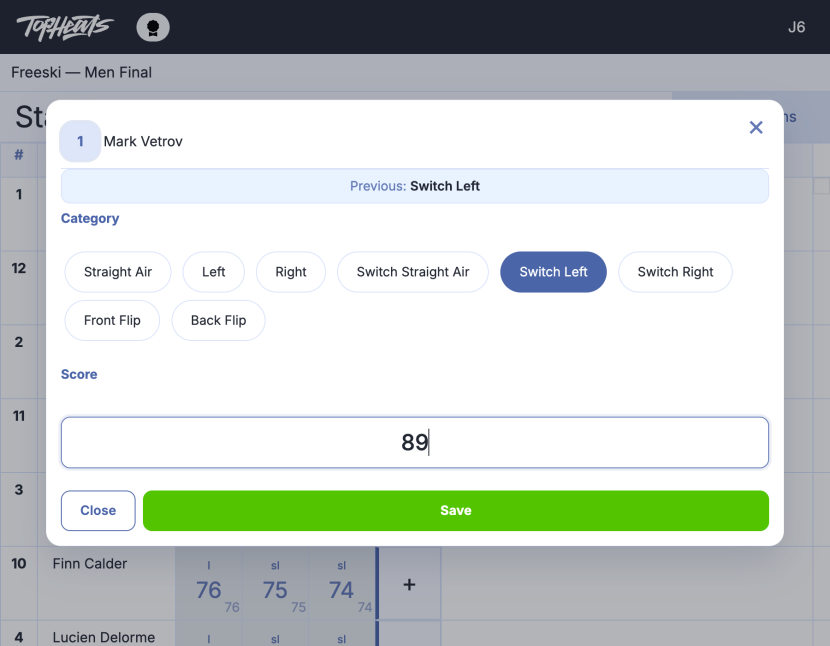
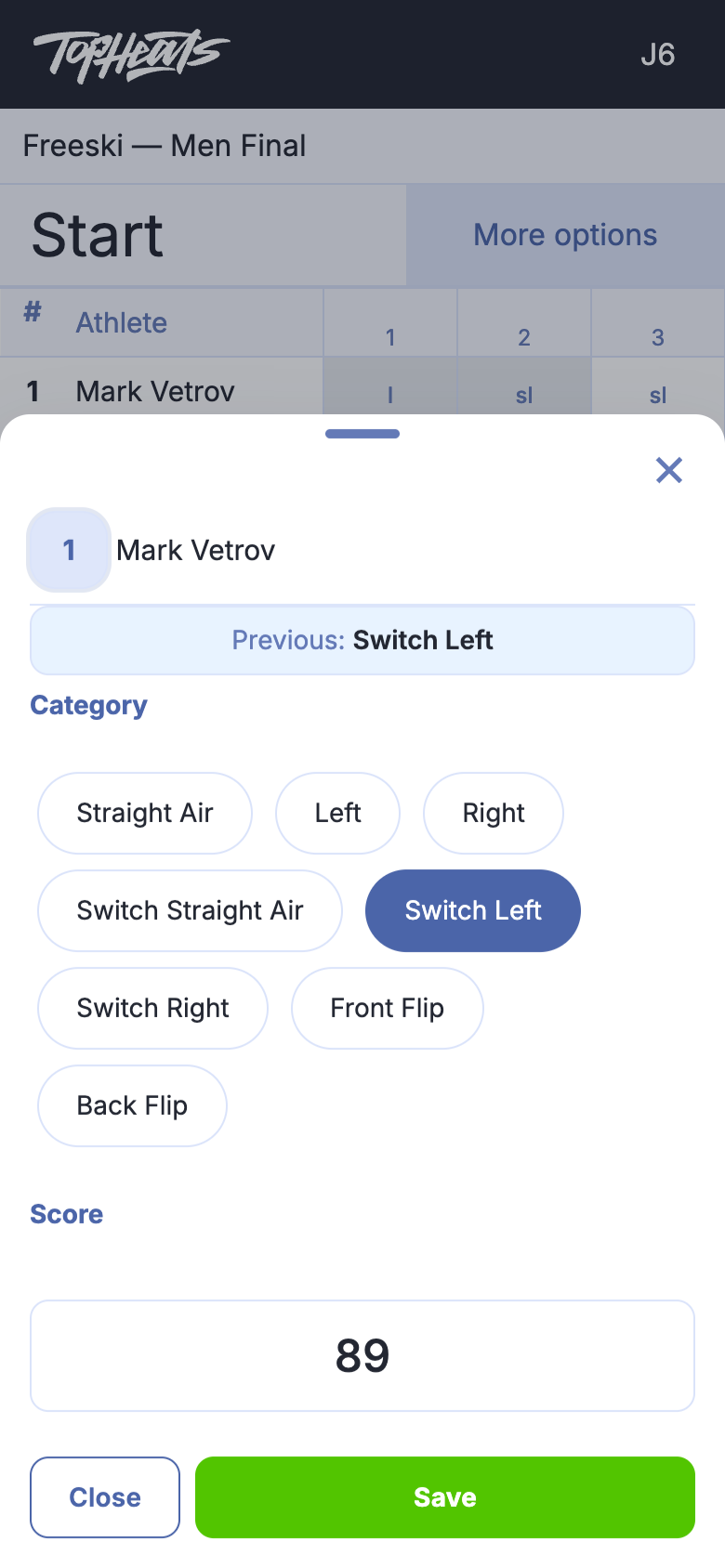
The available categories depend on the discipline. In freeski, rotation categories distinguish direction and switch take-offs; snowboarding uses Frontside, Backside, Switch Frontside and Switch Backside.
Reading the score table
After saving, the cell displays the category abbreviation and your mark. When manual approval is used, the attempt awaits approval by the head judge.
The large number is your own mark; the number below is the attempt’s final score after approval. In the example, the first two attempts are approved: the judge’s marks are 86 and 28, and the jump scores are 85.25 and 24.5. The third mark, 89, still awaits approval.
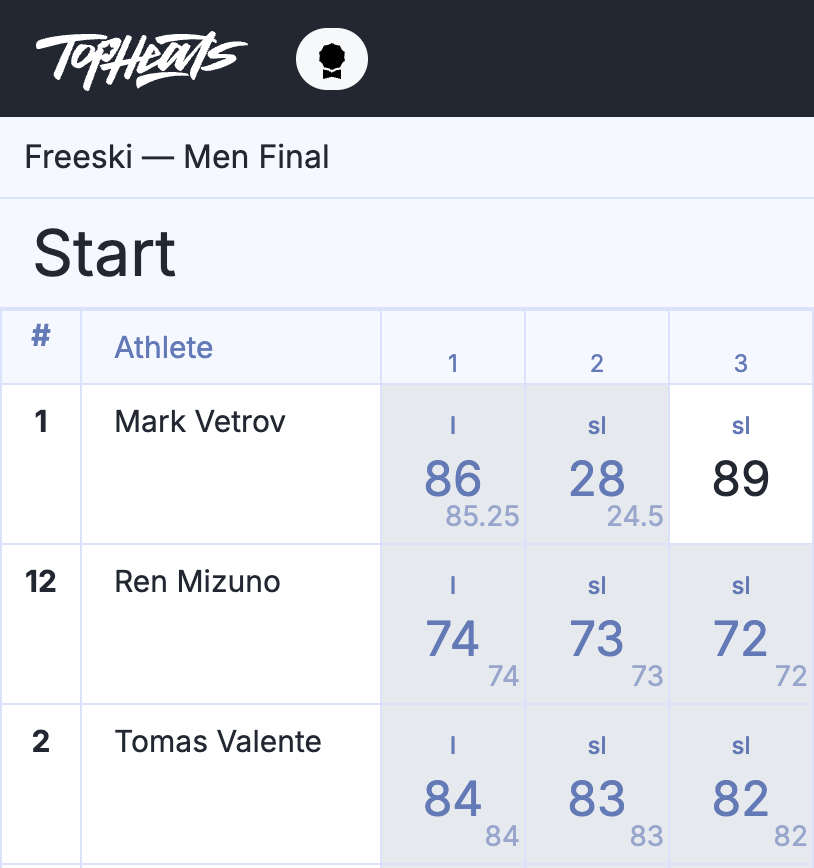
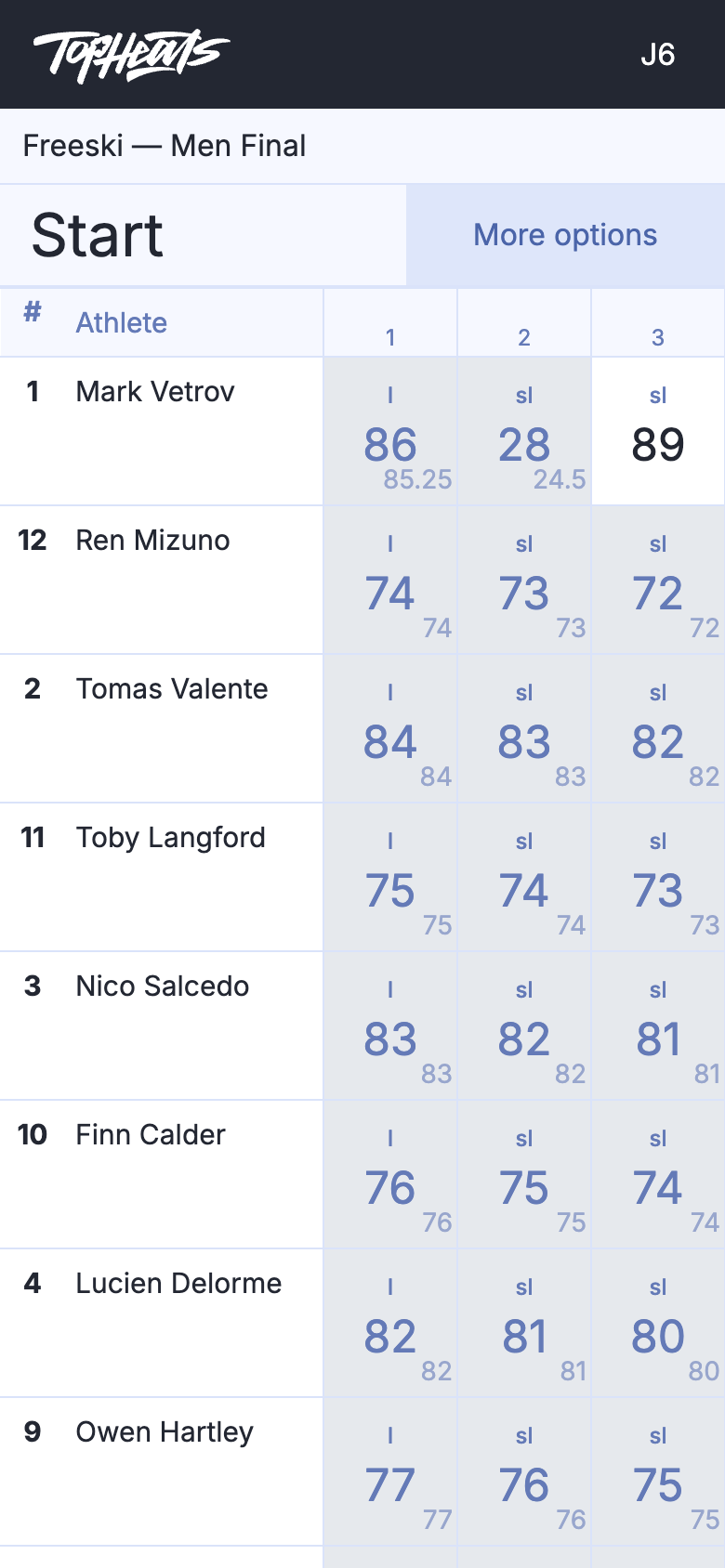
On a phone, scroll the table to the right to see the other attempts.
To correct a mark that has not yet been approved, reopen its cell, make your changes and click Save. To change an approved mark, contact the head judge.
For the full category lists, abbreviations and calculation examples, see Freeski Big Air and Snowboard Big Air.